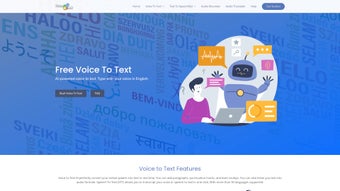

Download VoiceToText – Free AI Speech‑to‑Text Converter
Overview of VoiceToText – AI‑Powered Speech‑to‑Text Conversion
VoiceToText is an efficient, cloud‑based AI speech‑to‑text conversion tool that turns spoken words into accurate written content in real time. Designed for professionals, students, and casual users alike, the service lets you dictate emails, essays, reports, or any form of document without ever touching a keyboard. Its neural‑network engine supports more than 30 languages and regional accents, making it a truly global solution for multilingual environments.
Beyond simple transcription, VoiceToText includes a built‑in audio recorder, on‑the‑fly text editing tools, and the ability to export results in popular formats such as .txt, .docx, and .pdf. Users can also reverse the process—convert the generated text back into clear, natural‑sounding audio—ideal for creating voice‑over snippets or accessibility‑focused content. All operations run in a secure web browser, with Google Chrome recommended for optimal performance.
A stable internet connection ensures fast processing, while the platform adheres to modern privacy standards, encrypting both uploaded audio and generated transcripts. Whether you need a quick voice memo turned into a polished paragraph or a full‑scale transcription workflow for interviews, VoiceToText delivers speed, accuracy, and convenience in a single, free‑to‑use interface.
Key Features and Editing Capabilities
- Real‑time speech‑to‑text conversion powered by advanced AI models.
- Support for 30+ languages and dialects, including regional accents.
- Integrated audio recorder for direct capture within the browser.
- On‑screen editing toolbar with spell‑check, formatting, and find‑replace.
- One‑click export to .txt, .docx, .pdf, and plain‑text formats.
- Text‑to‑speech function that reads transcriptions aloud in natural voice.
- Secure cloud processing with end‑to‑end encryption for privacy‑sensitive data.
- Cross‑platform accessibility—works on any device with Chrome (Windows, macOS, Android, iOS).
- Auto‑save feature that stores drafts locally for later retrieval.
- Customizable language model that learns from user corrections to improve accuracy over time.
The feature set of VoiceToText is built around the concept of “speak and see.” As soon as you start talking, the AI engine begins transcribing, displaying each word instantly. The editing toolbar appears directly above the transcript, allowing you to correct errors, apply bold or italic styling, and insert bullet points without leaving the page. Export options are streamlined: a single click sends the file to your download folder, and you can choose the format that best fits your workflow.
For users who need to share content verbally, the text‑to‑speech module supports multiple voice personas and speed controls, making it simple to produce audio snippets for podcasts or e‑learning modules. All data transfers occur over HTTPS, and the platform does not retain recordings longer than necessary, complying with GDPR and other privacy regulations. The built‑in recorder eliminates the need for third‑party apps—just click “Record,” speak, and watch the transcription appear.
Whether you’re drafting a business email on a Windows laptop or preparing lecture notes on an Android tablet, VoiceToText adapts to your environment while maintaining a consistent, high‑quality output.
Installation, Usage Guide & System Compatibility
Because VoiceToText is a web‑based service, there is no traditional installation process. To get started, open Google Chrome (the recommended browser for full feature support) and navigate to the VoiceToText homepage. You will be greeted by a clean dashboard with a prominent “Start Recording” button.
Click the button, grant Chrome permission to access your microphone, and begin speaking. The AI engine will process the audio stream instantly, showing the transcribed text in the central pane. If you prefer to upload an existing audio file, simply drag the file onto the upload area or click “Choose File” to select from your device.
Once the transcription finishes, use the editing toolbar to refine the content, then click “Export” to download in your chosen format.
System Requirements – VoiceToText runs on any operating system that supports the latest version of Google Chrome, including Windows 10/11, macOS Catalina or later, Android 8.0+, and iOS 13+. A stable broadband connection (minimum 5 Mbps) is recommended to ensure low latency during real‑time conversion. The platform is optimized for both desktop and mobile screens, automatically adjusting the layout for touch interaction on smartphones and tablets.
Pros
- Instant, high‑accuracy transcription without installing software.
- Broad language support makes it suitable for international teams.
- Integrated editing and export tools keep the workflow in one place.
- Secure, encrypted processing protects sensitive information.
- Free to use with optional premium upgrades for higher volume.
Cons
- Requires a continuous internet connection; offline use is not available.
- Best performance is limited to Google Chrome; other browsers may lack some features.
- Free tier imposes a daily transcription limit (e.g., 30 minutes per day).
- Advanced speaker‑identification and noise‑cancellation are only in paid plans.
- Large audio files may take longer to upload and process.
Overall Rating: 4.5/5 – VoiceToText delivers a powerful, user‑friendly transcription experience that meets the needs of most casual and professional users. The free tier’s limitations are modest, and the upgrade path is clear for power users.
FAQ and Final Verdict – Why Download VoiceToText Today?
Is VoiceToText really free to use?
Yes, the core transcription service is free with a daily usage limit. Premium plans remove the limit and add features like batch processing and advanced noise reduction.
Can I use VoiceToText on my mobile device?
Absolutely. As long as you run Google Chrome on Android or iOS, the full feature set—including recording, editing, and exporting—is available on mobile screens.
How secure is my audio data?
All audio uploads and transcriptions are transmitted over HTTPS and encrypted at rest. The service does not retain recordings longer than necessary for processing, complying with GDPR standards.
What file formats can I export to?
You can export transcripts as plain .txt, Microsoft Word .docx, or PDF files. The export dialog also allows you to copy the text directly to the clipboard.
Does VoiceToText support speaker identification?
Speaker diarization is part of the premium offering. Free users receive a single unified transcript, while paid plans can label different speakers automatically.
In summary, VoiceToText stands out as a fast, reliable, and multilingual transcription solution that requires no installation and works seamlessly across Windows, macOS, Android, and iOS. Its combination of real‑time speech recognition, robust editing tools, and secure cloud processing makes it a compelling choice for anyone looking to replace manual typing with voice. Whether you’re a student drafting essays, a marketer creating email copy, or a developer documenting code snippets, VoiceToText can shave minutes—or even hours—off your workflow. Click the download button below to launch the web app instantly and experience the convenience of speaking your thoughts directly into text.
Start Using VoiceToText Now


.png)



